During the last few years I have worked with both desktop and web applications that had to be translated into other languages. While it’s generally good to delay architecture decisions, writing a -global- application like it’s only going to be used in the place where you write it, is just wrong.
It would be better if the whole team could familiarize with the implications of internationalization, early. Translating an application when i18n (Internationalization) was not considered during the initial (or any) stages of development could be very painful and expensive.
I have compiled a set of advices to keep in mind from the beginning, most of which were learnt the hard way.
String constants
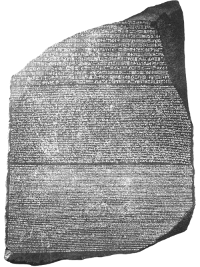 Great care must be taken when adding new strings to the
application like a message for the user, UI caption, etc. Having to change these string constants once the translations are already in place is expensive and
time-consuming.
Great care must be taken when adding new strings to the
application like a message for the user, UI caption, etc. Having to change these string constants once the translations are already in place is expensive and
time-consuming.
In most Gettext and Gettext-like solutions, sightly changing a string breaks the link between the original text and the translated one. For Gettext, Poedit has a fuzzy matching algorithm to help the translator in the process of updating your translations, but you can’t expect much from fuzziness.
String literal concatenation is your enemy, different languages have different grammatical order and translating a whole sentence is much easier than translating loose words out of context.
- Have a set of style rules for messages. i.e.: Do error message sentences end with period?
- Check your spelling and grammar twice when adding a new string. Check new strings in the code review, correct early.
- Be conservative when adding new strings. Is that specific error message really necessary?
- Use String.Format() or your language equivalent when composing messages, do not concatenate.
- Avoid mandatory spaces at the start or end of a string literal (i.e.: ” OK “), do use concatenation in this case to add the space if needed, keep the
translatable string clean.
- Mixing HTML in your string literals is horrible, but you already know that. I hope.
Database strings
There are several methods to store static strings in the database in different languages, in my humble opinion the best one is called: Don’t do that!. All the other methods are either inefficient, cumbersome or both.
I’ve seen many times database objects containing just a primary key and a VARCHAR column for the sole purpose of identifying some other object type or status. ie: InvoiceType. These strings then end up in the user interface through zillions of intricate and slow JOINs. What’s the point in doing that if you have to maintain an enumerated type for your business logic code anyway?
- Use short identifiers that make sense in your database.
- Use your enumerated types to generate the translated strings.
- Keep your database culture-neutral.
Number and Date conversion
When the user inputs data such as floating point numbers, time, dates, etc. keep in mind at all times that the type conversion depends on the user culture, the same goes for displaying data and for input validation. Your framework has tools to handle these type conversions, study them, use them.
Avoid depending on your server’s locale or regional settings, your system should run fine with OS versions other than English or a POSIX locale other than your development environment.
- Keep your serialized dates and floating point values consistent and culture-neutral.
- Avoid depending on the system configured locale or regional settings for type conversions.
- Keep your code culture-neutral.
Time zones and calendars
It’s a common practice to use the server’s system time (i.e.: DateTime.Now() in .Net) to generate and store these timestamps or to make calculations. **Don’t. **Use the universal time whenever possible, the server could be moved to another timezone, the cloud, or Ganymede. .Net provides .UtcNow() and .UtcToday() for this purpose.
**There are lots of things to consider when dealing with time and offsets; week start days, DST with its variations between countries, hemispheres, leap years, even leap
seconds. Study and use your framework’s and system tools to perform these date and time calculations, comparisons, offsets, etc. ** Don’t reinvent the wheel, **or you will end
up like Apple.
**
- Always use UTC, not your server’s local time.
- Offset the time using the correct timezone when displaying it to the user.
- Use your framework’s, platform and system tools to perform date and time calculations.
- Keep your code timezone-neutral.
Everything else
This was just a glimpse. The list of things to consider is endless, things like character encodings, bi-directional text, CJK support, or specific localizations can increase complexity ad infinitum. There is a whole industry based on i18n, and many blogs on that subject alone.
It’s important that you know that writing truly international software is hard. It requires dedication and specific knowledge on this topic. Writing software for the world requires an open mind.